

Google allows a doctor to have a business profile under their own name, provided they actually receive patients at the registered location during the stated working hours. If you are one of several doctors in the clinic, the clinic has a profile and you have an independent one. If you are the only doctor in a clinic with a trade name, a single profile combining both names is best.
Many doctors rely on the clinic’s profile alone. The result is that a patient searching for the doctor’s name finds nothing specific to them — no reviews, no specialty, no photo. Conversely, creating a profile the wrong way can lead to its suspension. This article explains when you need a profile under your name, and how to build it correctly.
What is the difference between a doctor’s profile and a clinic’s profile?
The clinic’s profile represents the place: the address, hours, general services, and reviewers’ ratings about the experience as a whole. The doctor’s profile represents the person: your name, your specialty, your photo, and patients’ opinions about you specifically.
A patient who searches the clinic’s name wants the place. But a patient who heard your name from a friend, or saw you on Instagram, is searching for you. And this patient is closer to booking than others.
When does Google allow a profile under the doctor’s name?
Google calls this type a "solo practitioner profile". Its main condition is that you are available to patients at the registered address, during the hours stated in the profile. There are three cases:
- You work with other doctors in the same clinic or complex: the complex has its profile, and you have an independent profile under your name at the same address.
- You are the only doctor in a clinic with a trade name: Google recommends a single profile combining the clinic name and your name, instead of two profiles competing for the same search.
- You work in more than one location: you can have a profile in each location where you actually receive patients, not in locations where you do not work.
Not allowed: a profile for every sub-specialty, a profile with an address where you do not receive patients, or a profile name stuffed with keywords like "best dermatologist in Jeddah".
How do you create or claim your profile?
Start by searching your name on Google Maps. Sometimes there is already a profile under your name created by a patient, the clinic, or Google itself.
- If you find an existing profile: claim ownership from the "Do you own this business?" option. Do not create a new profile, because duplicate profiles weaken both.
- If you find nothing: create a new profile, and coordinate with the clinic management beforehand, because the address is shared between you.
- Name: write it as it appears on your license and on the clinic sign, without adding the specialty, city, or any search keywords.
- Category: choose your exact specialty as the primary category, such as "dermatologist", not "clinic" or "doctor" in general.
- Verification: Google may request a video of the location or a code by message. Prepare a photo of the clinic sign and its entrance before you start.
What should the profile contain?
An incomplete profile does not build trust, even if it appears in search. These elements are the minimum:
- A professional personal photo, and real photos of the place inside and out.
- A short description of your specialty and the conditions you treat, in language the patient understands.
- Accurate working hours, updated during holidays.
- A booking link or direct contact number.
- A link to your personal website if you have one.
It is also important that your details match everywhere: the name, address, and phone number in the profile, the website, and social pages. Any difference confuses both Google and the patient.
What happens to the profile if you move to another clinic?
This is one of the most important reasons to build your personal profile. The reviews you collect on the clinic’s profile stay with the clinic after you leave. Your personal profile, however, updates its address when you move, along with the reputation you built.
So make sure the profile is under a Google account you own, not the clinic’s or an employee’s account. You can add whoever manages the profile as a manager only.
If you would like us to review your current profile or build it with you from scratch, see our Google Business Profile setup for doctors.
Frequently asked questions
Do I need a profile under my name if the clinic already has a profile with high ratings?
Yes, if you are building your professional name. The clinic’s ratings serve the clinic, and a patient searching for your name needs to find you.
Can I add "Dr." or my specialty to the profile name?
Write your name as people know it and as it appears in reality. The specialty belongs in the category and description, not the name.
The clinic created a profile under my name, what should I do?
Ask them to transfer ownership to your account, while keeping them as managers if you wish. That way your reputation stays with you wherever you go.
How long does it take for the profile to appear after creation?
It usually appears after verification is complete, and verification may take a few days. Its ranking in results improves gradually as the data is completed and reviews accumulate.
Related articles
How Do Patients Search for Doctors on Google? And What Makes You Show Up Clearly
From the first word a patient types in Google to the moment they choose a doctor — understand how patients read search results and what makes your name appear clearly when they look for you.
What Does a Patient Find When They Search Your Name on Google?
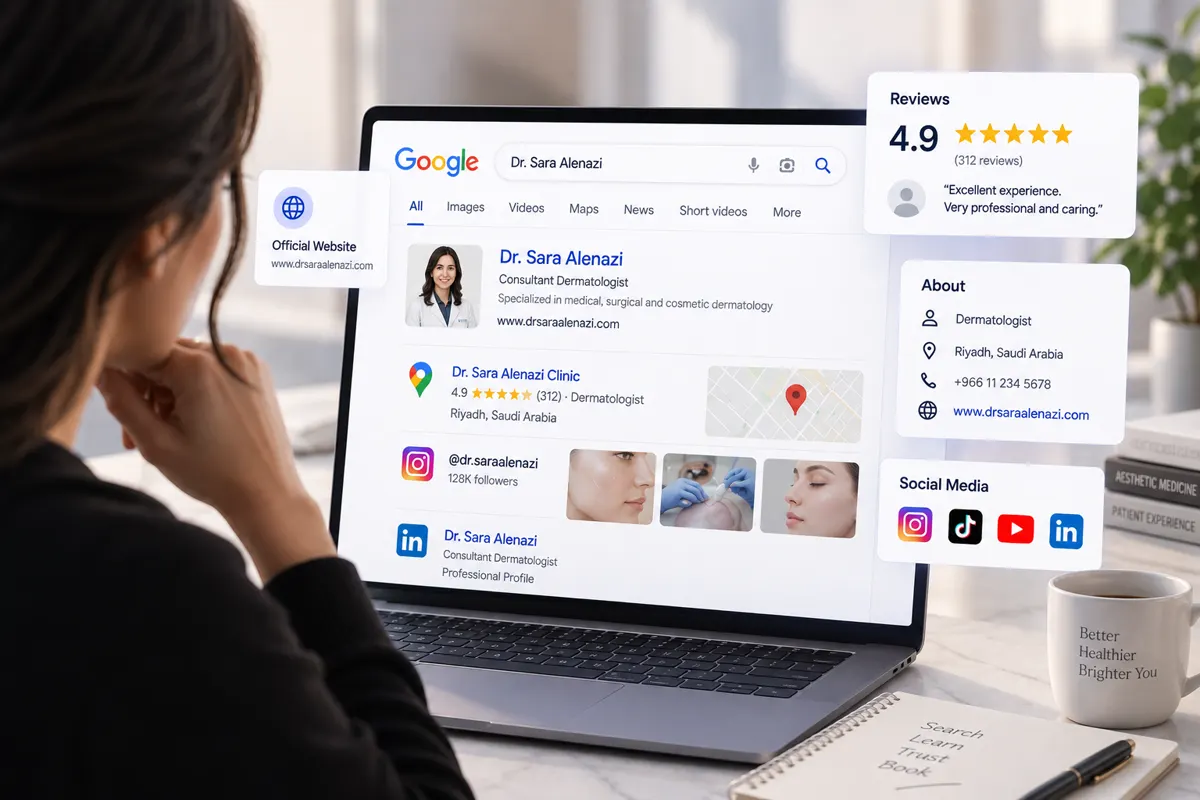
Before booking, a patient types the doctor’s name on Google. What do they see? How does the professional picture form from results, website, reviews, and social media?

How Long Does It Take a Doctor to Show Up on Google? Realistic Expectations for the First Months
Showing up on Google isn’t one moment: your name, then Maps, then searches for your specialty. When to expect each, what speeds it up, and how to track progress yourself.